
AI Readiness & Governance
The AI tools your team is already using may be sending your data somewhere you didn't approve.
AI tools are already in your business. The question is whether they are used inside rules you set, or rules someone else's product chose for you.
A managed IT provider focused on AI readiness and governance can help your business use AI safely. At 3rd Element, that means cleaning up data and permissions, reviewing access and sharing, and putting a written AI acceptable use policy in place before AI tools are turned on, so they can only see what they should. We work with businesses of about 10 to 250 employees across Central Pennsylvania and nationwide from our base in Mechanicsburg.
3rd Element Consulting provides AI readiness and governance services, covering the data cleanup, access review, written policy, and DLP work required before Copilot or any other AI tool is turned on.
The pattern
Habit is forming faster than governance.
Most teams have employees already using AI, drafting emails, summarizing meetings, pulling content from documents, pasting customer information into a chatbot. Habits are forming faster than anyone is writing down what is acceptable.
The risk is not the technology. It is the absence of intentional, documented rules about data, sharing, vendors, and what AI can reach inside your systems.
What we own
Where AI readiness actually lives.
6 areas, swipe or use arrows
Data and sharing posture
What AI tools can reach inside Microsoft 365 today, and what that exposes before anyone turns on Copilot.
Acceptable use rules
A practical, plain-language policy people will actually read, and that managers can enforce.
Tool inventory
Which AI tools are in use, who approved them, and what data they touch.
Vendor and contract review
Whether vendors train on your data, where it goes, and how to opt out.
Copilot readiness
Reviewing existing permissions, sharing, and labels before enabling Copilot tenant-wide.
Where AI fits the business
Focused use cases that match real work, not a shopping list of trendy tools.
Safe AI use
What using AI safely actually takes
- know which AI tools are already in use, including features built into software you pay for
- clean up file permissions and sharing, since tools like Copilot can surface anything a user can already access
- put a written AI acceptable use policy in place and train staff on it
- vet AI vendors for how they store and use your data
- decide who approves new AI tools
Use the AI Acceptable Use Policy Template, learn why shadow IT matters, and review the Executive AI Briefing Series.
How we work
Practical readiness, not big slogans.
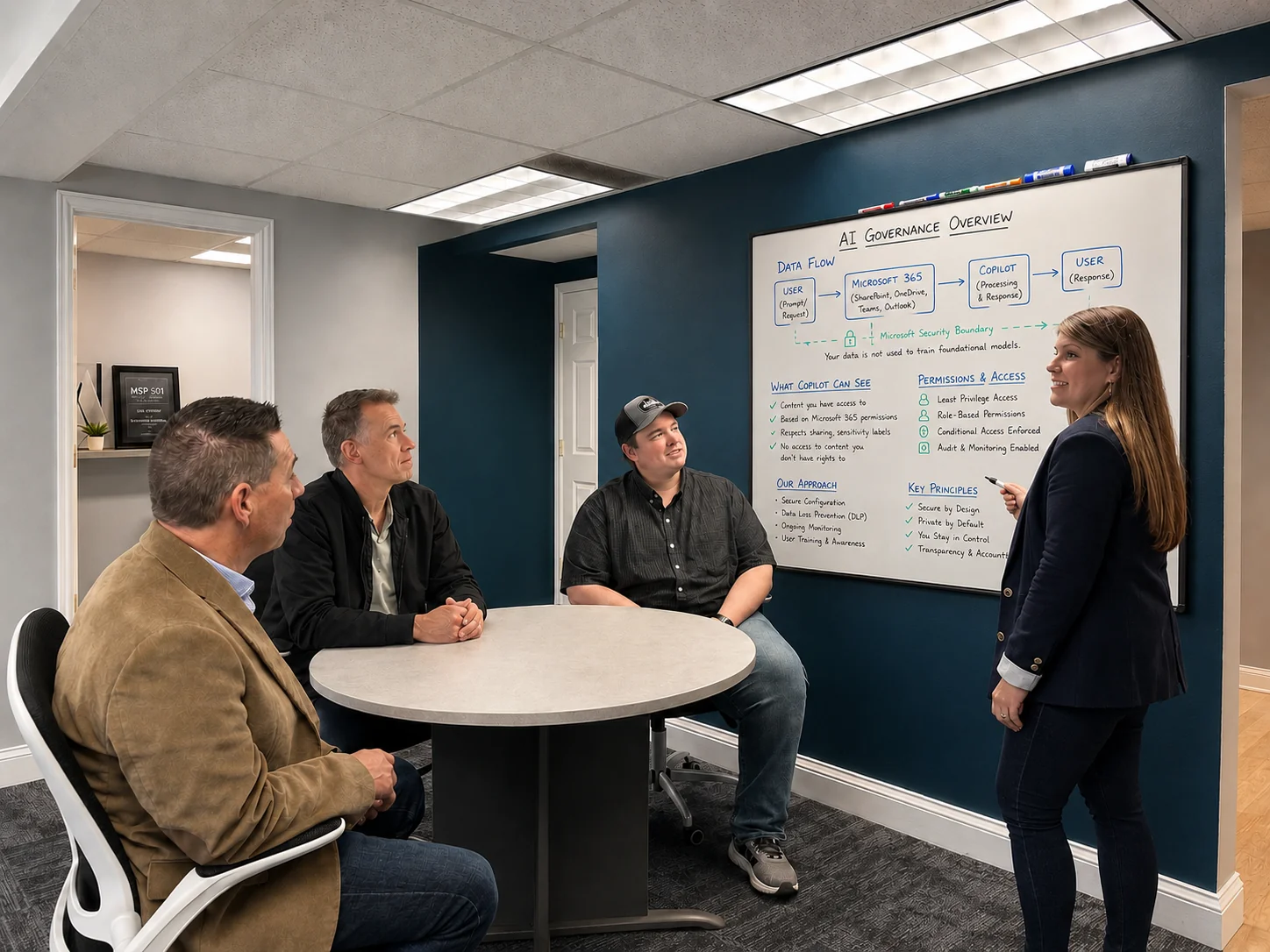
We look at what people are already using, what your environment would expose if you turned on Copilot tomorrow, and what rules belong in writing before habits get harder to unwind.
From there, we help leadership pick a small number of useful, low-risk starting points and build a posture from real work, not from marketing. Anchored to the same standards baseline the rest of the environment is held to.
Who we work best with
Built for companies that want IT held to a standard.
Something brought you here. If you're with an organization of about 10 to 250 employees, headquartered in or operating across Central PA, that depends on its technology to operate and is ready to hold its IT to a written standard, you've probably outgrown whoever was managing IT before or something specific made the gap visible.
A strong fit
- Leadership is ready to treat IT as part of how the business runs.
- Teams tired of explaining the same problems to the same provider.
- Operations where downtime, lost data, or a security event would put the business at risk.
- An internal IT person who can't be a specialist in every area and doesn't have visibility into how other organizations solve the same problems.
How we work
- We price for the outcome, not the lowest monthly rate. If price is the only deciding factor, we're probably not the best match.
- We'll tell you when something needs attention, even if you didn't ask.
- Every client runs to a security baseline: MFA, patching, and tested backups. We don't make exceptions, because we're accountable for the result.
AI governance resources
Take something with you.
The vendor vetting checklist is a free download. The acceptable use policy template is a starting point we share when you tell us a little about your team.
Common questions
Questions leadership usually asks first.
Who can help my business use AI safely without exposing our data?
Should we ban AI tools?
Is Microsoft Copilot safe to turn on?
Can you help with Microsoft 365 security?
What is an IT Environment Review?
Continue reading
Related work and reading.
Client Story: Paralegal Efficiency with Microsoft Copilot
A measured first use of Copilot that reduced context switching while keeping review, confidentiality, and professional judgment in place.
Read more: Client Story: Paralegal Efficiency with Microsoft CopilotGovernance, Risk & Compliance
Written policies, vendor reviews, and data rules are where AI governance actually lives.
Read more: Governance, Risk & ComplianceStandards & Security Baseline
The identity, sharing, and data controls Copilot will inherit the moment it's turned on.
Read more: Standards & Security BaselineMicrosoft 365 and Cloud Management
Sharing, permissions, and labels have to be cleaned up in 365 before Copilot is safe to enable broadly.
Read more: Microsoft 365 and Cloud ManagementWhat AI is already running in your network.
The AI features and tools that turned on without anyone approving them.
Read more: What AI is already running in your network.What business leaders should know about AI tools at work.
Where the real risk sits once people start pasting company data into a chatbot.
Read more: What business leaders should know about AI tools at work.Dawn Sizer Talks AI Vendor Vetting with CRN: Don't Let Three Chatbots in a Trench Coat Sell You AI
Why vetting an AI vendor should look nothing like a normal tool decision.
Read more: Dawn Sizer Talks AI Vendor Vetting with CRN: Don't Let Three Chatbots in a Trench Coat Sell You AINext step
Get a clearer view of your IT environment.
Find out what is working, where the risks are, and what needs attention next.